

Price and stock alerts without manual checking
Track products automatically: save a target price, wait for a product to come back in stock, receive a clear email and manage everything in your account.
What this feature does
This feature is for customers who want to keep track of products without repeatedly checking the same page. Depending on the product status, you will see the Price Alert or Stock Alert button.
If the product has an active price, you can save a target price. If the product is unavailable, you can set up a stock alert instead.
Every alert is linked to your account and is disabled automatically as soon as the email has been sent.
Two types of alerts
Price Alert
If a product has a selling price, you will see the Price Alert button on the page. Enter your target price and save it to your account.
The system can monitor both a lower and a higher target price.
Stock Alert
If a product is unavailable, the page shows the Stock Alert button instead.
You do not need to enter a price: simply save the alert and wait until the product is available again.
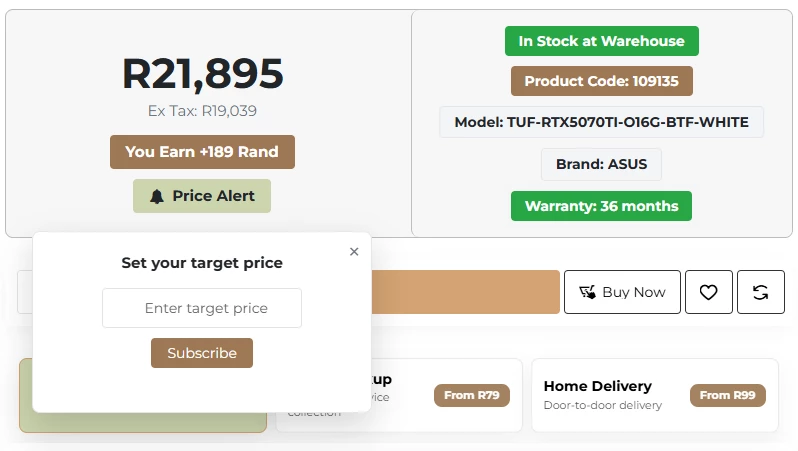
Products with an active price show the Price Alert button.
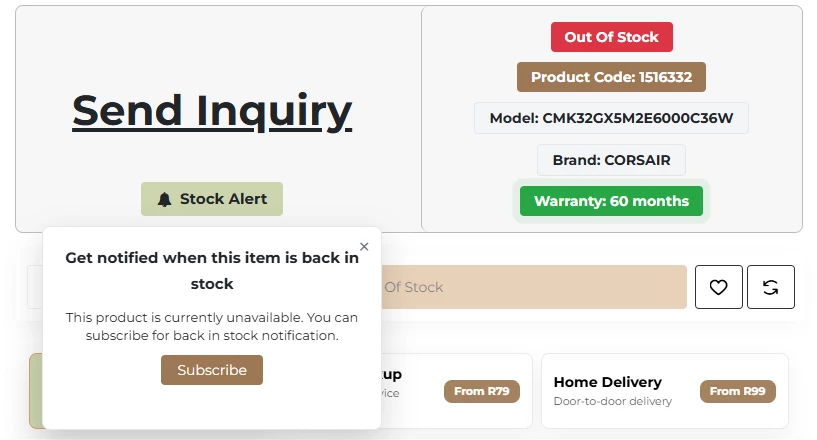
Unavailable products show the Stock Alert button.
How to use the system
The process is simple and automatic, and everything is linked to your customer account.
Log in
Only logged-in customers can save alerts.
Open a product page
The page shows the Price Alert or Stock Alert button.
Save your alert
Enter your target price or save a stock alert.
Check the status
The active button shows that the product is being monitored.
Receive an email
As soon as the condition is fulfilled, an email is sent.
Automatically disabled
Once you have been notified, the alert is disabled.
How price alerts work
Waiting for a price drop
If the current price is above your target price, the system waits for the price to drop.
Even below your target price
If the price falls below your target price in one go, the alert is still sent.
Watching for a price rise
If your target price is above the current price, you will be notified as soon as the price reaches or exceeds it.
Special prices included
The system checks the active price as shown to the customer.
Important rules
- Alerts only work when you are logged in.
- Each alert is linked to one product and to your account.
- The email is only sent once the condition is fulfilled.
- Once the email has been sent, the alert is disabled automatically.
Set up your alert once and let the system do the work
Save a target price or stock alert and manage everything in your account.