
Account Contact
Your Cart
Black Weekup to −30%ends in 7 d 13:06:36
DPD & FedEx – delivery date on the product page
Need help? Ask our AI

Ipevo A-922-0-08-00 Document Scanner Mat – Flat Scan Mat for Overhead Scanners

Ipevo A-922-0-08-00 Document Scanner Mat – Flat Scan Mat for Overhead Scanners
-15%
Black Week
Ipevo A-922-0-08-00 Document Scanner Mat – Flat Scan Mat for Overhead Scanners
33.28 €
39.09 €−15 %
PDF
PDF
Stock 17 Code 2572224 Model A-922-0-08-00 Warranty 2 Years

Shipping & Returns

Estimated delivery Wednesday, 16 December
You will be kept updated through our detailed tracking system
Payment options
Bank CardVisaMastercardApple PayGoogle PayBank Transfer

Ask a question – the AI assistant answers instantly.

Description

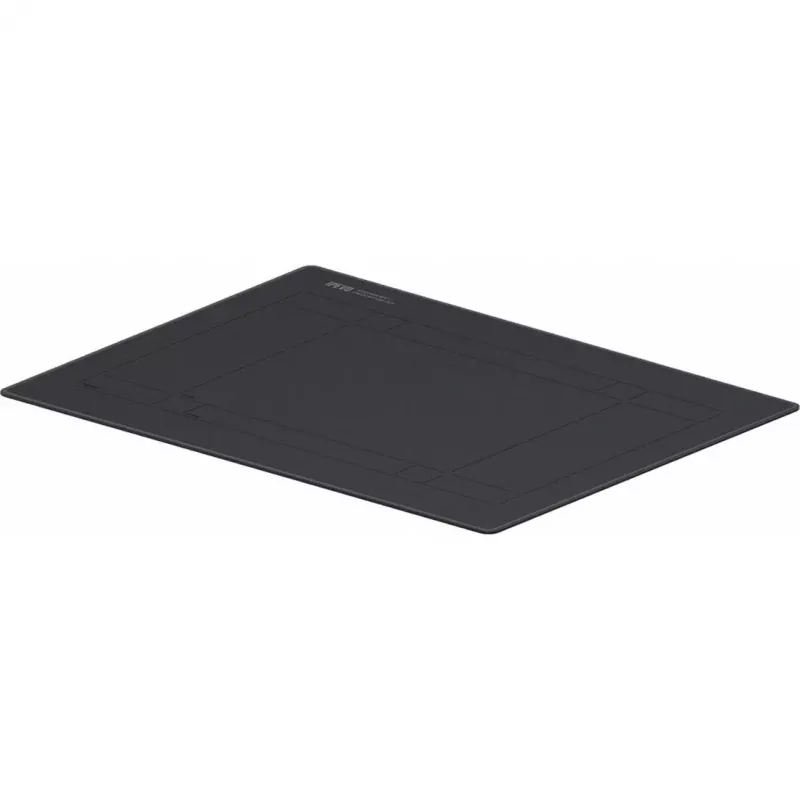
The Ipevo Document Scanner Mat A-922-0-08-00 is a flat scanning surface designed for use with overhead and desktop document scanners. It creates a stable, non-reflective backdrop for scanning papers, books and photographs, helping to minimise glare and background noise in captured images. The mat is suitable for routine digitisation tasks in offices, classrooms and homes where consistent image quality is required.

Advantages

The mat provides a uniform, matte surface that reduces reflections and prevents patterns or textures from appearing in scans. Its flat profile stabilises documents and bound materials during capture, helping to keep pages steady and aligned. The material is durable and easy to clean, ensuring repeated use without affecting scan quality. The product is lightweight and simple to position under the scanner head, offering practical convenience for different scanning setups.

Suitable for

  • Scanning loose papers, receipts and official documents
  • Digitising books and magazines where a flat background reduces edge reflections
  • Scanning photographs and prints to minimise glare
  • Everyday office, school and home scanning tasks

Key specifications

  • Flat, matte scanning surface to reduce reflections
  • Stable, non-slip profile to support documents during capture
  • Durable, easy-to-clean material suitable for repeated use
  • Lightweight and portable for flexible placement under scanners

How to use

Place the mat on a stable surface and position the overhead or desktop scanner head above it according to the scanner manufacturer’s instructions. Lay the document, book or photo flat on the mat, aligning the item with the scanner’s capture area. Ensure even lighting and check the live preview or test scan for focus and framing before completing the final scan. After use, wipe the mat with a soft cloth to remove dust or smudges.

Recommendations

For best results, use the mat with neutral, diffuse lighting and avoid direct strong light sources that can create shadows. When scanning bound materials, gently press pages flat without forcing the binding to prevent damage. Store the mat flat or rolled according to the manufacturer’s guidance to maintain its shape and surface performance.

Key Highlights
  • Scanning loose papers, receipts and official documents
  • Digitising books and magazines where a flat background reduces edge reflections
  • Scanning photographs and prints to minimise glare
  • Everyday office, school and home scanning tasks
  • Flat, matte scanning surface to reduce reflections
  • Stable, non-slip profile to support documents during capture
  • Durable, easy-to-clean material suitable for repeated use
  • Lightweight and portable for flexible placement under scanners
Price history over the last 6 months
Ipevo A-922-0-08-00 Document Scanner Mat – Flat Scan Mat for Overhead Scanners
Current
33.28 €
Lowest 7d
33.28 €
Highest 7d
39.09 €
Change 24H
-3.44 €   -9%
Change 7D
-2.97 €   -8%
Change 30D
-5.81 €   -15%

Write a review

Rating *
Note: HTML is not translated!

Popular products in this category

1
Seller: UAB KUR LT · Gariūnų g. 57-14, LT-02300 Vilnius, Lithuania · Company code 303192950 · VAT number LT100008198612 · Ships from the EU (Lithuania)
WhatsApp
Messenger
Hi, I’m DistriNode’s AI assistant. I can help you find products, compare options, create quote PDFs, or open support requests.
All categories