
Account Contact
Your Cart
DPD & FedEx – delivery date on the product page
Need help? Ask our AI

Safescan 112-0648 Money Counting Machine

Safescan 112-0648 Money Counting Machine
36 mo.free
Safescan 112-0648 Money Counting Machine
813.19 €
PDF
PDF
Stock 49 Code 339623 Model 112-0648 Warranty 3 Years

Shipping & Returns

Estimated delivery Wednesday, 11 November
You will be kept updated through our detailed tracking system
Payment options
Bank CardVisaMastercardPayPalApple PayGoogle PayBank Transfer

Ask a question – the AI assistant answers instantly.

Description

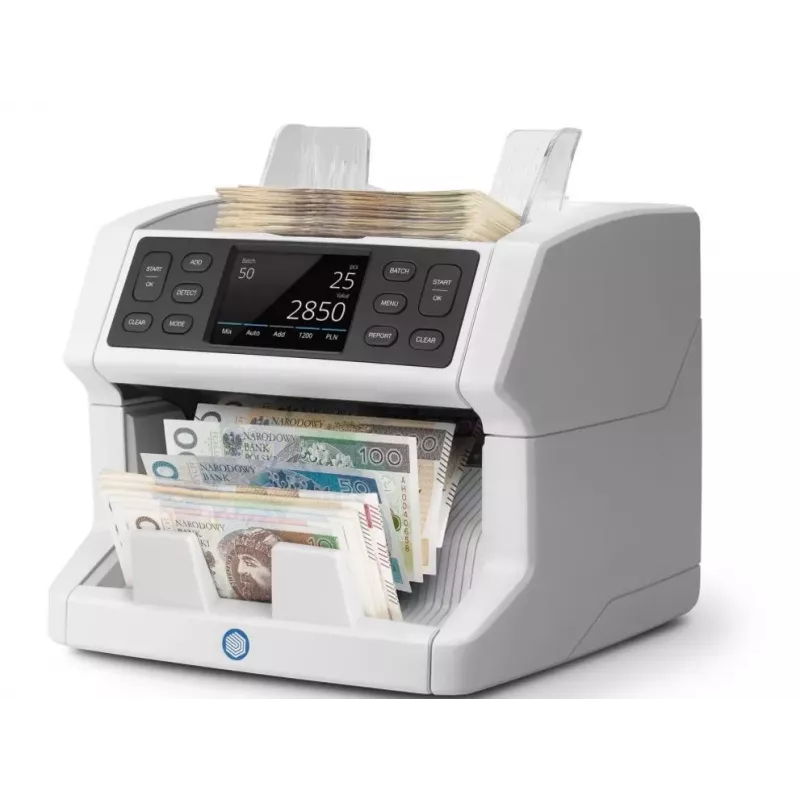
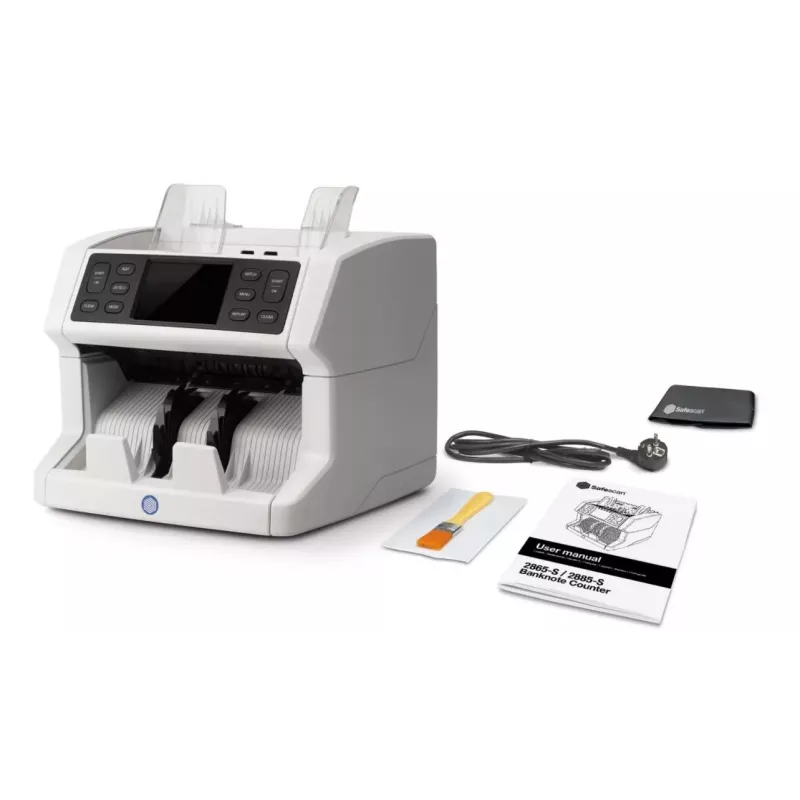
The Safescan 112-0648 is a compact and reliable money counting machine designed for businesses that handle cash frequently. It features a 3.5" display and supports an AC input voltage of 110–240 V. With dimensions of 259 × 255 × 254 mm and a weight of 6.4 kg, this white counter fits on countertops and in small back-office spaces while delivering accurate, fast counting of mixed banknotes.

Advantages

The Safescan 112-0648 provides precise counting performance in a compact footprint, making it suitable for limited spaces. Its clear 3.5" display allows easy reading of counts and settings. The wide AC voltage range (110–240 V) ensures compatibility in different regions. Built with a focus on dependable operation, the unit supports routine cash-handling tasks with consistent results.

Suitable for

  • Retail checkouts and point-of-sale cash handling
  • Small and medium-sized businesses' cash offices
  • Bank branches and back-office cash reconciliation
  • Event cashiers and temporary sales points

Key specifications

  • Model: Safescan 112-0648
  • Display: 3.5"
  • Input voltage: AC 110–240 V
  • Dimensions (W × D × H): 259 × 255 × 254 mm
  • Weight: 6.4 kg
  • Colour: White
  • Category: Counterfeit detector / Money counting machine

How to use

Place the Safescan 112-0648 on a stable, level surface and connect it to a compatible AC power source. Switch the unit on and use the 3.5" display to select the desired counting mode. Insert stacks of mixed banknotes into the hopper; the machine will count and display the result. Follow on-screen prompts for clearing jams or changing settings. Turn the device off and disconnect power when cleaning or performing maintenance.

Recommendations

Operate the unit in a clean, dry environment and avoid exposure to direct sunlight. Regularly remove dust and debris from the hopper and feed path to maintain counting accuracy. Use within the specified voltage range (110–240 V) and consult the manual for troubleshooting and maintenance schedules.

Key Highlights
  • Retail checkouts and point-of-sale cash handling
  • Small and medium-sized businesses' cash offices
  • Bank branches and back-office cash reconciliation
  • Event cashiers and temporary sales points
  • Model: Safescan 112-0648
  • Display: 3.5"
  • Input voltage: AC 110–240 V
  • Dimensions (W × D × H): 259 × 255 × 254 mm
  • Weight: 6.4 kg
  • Colour: White
  • Category: Counterfeit detector / Money counting machine

Specifications

Specifications
AC input voltage
110 - 240
Built-in display
Yes
Card reader integrated
Yes
Control type
Buttons
Counting speed for banknotes
1500 banknotes/min
Depth
255 mm
Detection types
UV, MT, MG, IR
Display
3.5"
Height
254 mm
Product colour
White
Type
Banknote counting machine
USB port
Yes
Weight
6.4 kg
Width
259 mm
Price history over the last 6 months
Safescan 112-0648 Money Counting Machine
Current
813.19 €
Lowest
812.48 €
Highest
846.51 €
Change 24H
0.00 €   0%
Week
0.00 €   0%
Month
-4.74 €   -1%

Write a review

Rating *
Note: HTML is not translated!

More SAFESCAN products in this category

12

Popular products in this category

2
Seller: UAB KUR LT · Laisvės pr. 125A, LT-06118 Vilnius, Lithuania · Company code 303192950 · VAT number LT100008198612 · Ships from the EU (Lithuania)
WhatsApp
Messenger
Hi, I’m DistriNode’s AI assistant. I can help you find products, compare options, create quote PDFs, or open support requests.
All categories